

MEAN Course
- Build real Angular + NodeJS applications
- Connect any Angular Frontend with a NodeJS Backend
- Use ExpressJS as a NodeJS Framework
- Use MongoDB with Mongoose to interact with Data on the Backend
Training Format
Online Training / Classroom
Upgrade Your Skill In Android
20000+ Professional Trained | 500+ Batches

100% Practical Android Training in Jaipur With Certification & Placement Assistance
Description
Learn how to create modern, scalable and high-speed web applications with Angular + Node.js + Express + MongoDB.
Angular 1 and NodeJS, together with ExpressJS (a NodeJS Framework) and MongoDB formed the very popular MEAN stack. Now is the time to dive into MEAN 2.0 and replace Angular 1 with Angular 2+.
Benefit from the many improvements and advantages Angular offers you: Speed, ease of development, highly reactive, awesome support for asynchronous operations, great scalability and more!
And combine these advantages with the power of a NodeJS + Express + MongoDB backend!
Learn or refresh the Angular Basics!
This course is no Angular course, but it includes detailed explanations of the core concepts used as well as about Angular in general. However, keep in mind that, as this course is no Angular course, having additional resources like my “Angular – The Complete Guide” course is recommended.
I’m Maximilian Schwarzmüller, an experienced web developer as well as author of many 5-star rated Udemy courses and host of the “Academind” coding channel on YouTube. I will take you on a hands-on journey to get you to build your own Angular + NodeJS Applications in no time!
This course follows a hands-on approach, which means that the whole course is structured around one big application and the different concepts will be explained detailedly as they are introduced in this application.
Specifically, you will learn how to:
Set up a NodeJS + Express + MongoDB + Angular Application with the help of the Angular CLI
Use NodeJS and Express efficiently
Build reusable Components in Angular and create a reactive User Experience with the Tools provided by Angular
Connect your NodeJS (or any other language!) backend with your Angular App through Angular’s HttpClient service
Provide appropriate endpoints on your Backend, for your Frontend to consume
Add advanced features like file upload and pagination
Make your Application more secure by implementing Users, Authentication as well as Authorization
Handle Errors gracefully
And much more!
This hands-on concept allows you to not get stuck in the theory, but instantly see real implementation examples!
Hear what students of other courses as well as viewers of my YouTube channel have to say
Max has gone through great lengths to create great content and this course has been great. His teaching style covers everything from basic to advanced topics, and his explanations have been thorough on each topic
Max demonstrates very good knowledge of the subject matter and great enthusiasm in delivering the lectures.
Max does a wonderful job making the core concepts of Angular approachable and accessible.
Don’t stop at the basics!
Do you know those courses which show you a “Hello World“ example and then call it an end? That won’t happen to you in this course. While beginning with a very basic app and basic features, you will quickly be able to incorporate many different Routes, Observables, Events, Authentication and Authorization, Error Handling and much more into your applications.
The best thing is: You’ll learn all that by putting it into practice immediately! No wall of powerpoint slides, no unrealistic mini-examples – this is the real deal!
Who should take this course?
Basic NodeJS/Express and Angular Experience is strongly recommended
You should be familiar with HTML, CSS and JavaScript basics, too
MongoDB (+ Mongoose) knowledge is a plus as MongoDB will be used in this course but won’t be subject of in-depth explanations
NO expert or advanced knowledge on any of these topics is required or assumed
By the end of this course, you will be able to create your own, awesome NodeJS + Angular applications!
Please note that this course was recorded with an older version of Angular & Angular Material. The code shown in the videos might not always work with the latest versions of these packages. The general concepts & solution steps still apply, of course.
Who this course is for:
- This course is for everyone interested in putting existing Angular and NodeJS knowledge into action
- If you’re familiar with the basics of Angular and NodeJS, this course provides a detailed guide on how to connect both technologies
- Everyone interested in building a modern, full-stack application
- Students who want to exercise with their NodeJS and Angular skills will find a great opportunity to do so

- Introduction
- What is MEAN?
- Join our Online Learning Community
- What is a Single Page Application (SPA)?
- How Does the MEAN Stack Work?
- MUST READ: Angular & Angular Material Versions
- Installing Node & the Angular CLI
- Installing our IDE
- Exploring the Project Structure
- Course Outline
- How To Get The Most Out Of This Course
- Section Resources
- Module Introduction
- Understanding the Folder Structure
- Understanding Angular Components
- Adding our First Component
- Listening to Events
- Outputting Content
- Getting User Input
- Installing Angular Material
- Adding a Toolbar
- Outputting Posts
- Diving Into Structural Directives
- Creating Posts with Property & Event Binding
- Creating a Post Model
- Adding Forms
- Getting Posts from Post-Create to Post-List
- Calling GET Post
- More About Observables
- Working on our Form
- Section Resources
- Module Introduction
- Connecting Node & Angular – Theory
- What is a RESTful API?
- Adding the Node Backend
- Adding the Express Framework
- Improving the server.js Code
- Fetching Initial Posts
- Using the Angular HTTP Client
- Understanding CORS
- Adding the POST Backend Point
- Adding Angular
- Section Resources
- Module Introduction
- What is MongoDB?
- Comparing SQL & NoSQL
- Connecting Angular to a Database
- Setting Up MongoDB
- Using MongoDB Atlas & IP Whitelist
- Adding Mongoose
- Understanding Mongoose Schemas & Models
- Creating a POST Instance
- Connecting our Node Express App to MongoDB
- Storing Data in a Database
- Fetching Data From a Database
- Transforming Response Data
- Deleting Documents
- Updating the Frontend after Deleting Posts
- Adding Posts with an ID
- Section Resources
- Module Introduction
- Adding Routing
- Styling Links
- Client Side vs Server Side Routing
- Possible Error
- Creating the “edit” Form
- Finishing the Edit Feature
- Updating Posts on the Server
- Re-Organizing Backend Routes
- Adding Loading Spinners
- Section Resources
- Module Introduction
- Adding the File Input Button
- Converting the Form from a Template Driven to a Reactive Approach
- Adding Image Controls to Store the Image
- Adding an Image Preview
- Starting with the Mime-Type Validator
- Finishing the Image Validator
- Adding Server Side Upload
- Uploading Files
- Working with the File URL
- Beware of the Spread (…) Operator
- Fetching Images on the Frontend
- Updating Posts with Images
- Wrap Up
- Section Resources
- Module Introduction
- Adding the Pagination Component
- Working on the Pagination Backend
- Connecting the Angular Paginator to the Backend
- Fetching Posts Correctly
- Finishing Touches
- Section Resources
- Module Introduction
- Adding the Login Input Fields
- Handling User Input
- Adding the Signup Screen
- Creating the User Model
- Creating a New User Upon Request
- Connecting Angular to the Backend
- Understanding SPA Authentication
- Implementing SPA Authentication
- Sending the Token to the Frontend
- Adding Middleware to Protect Routes
- Adding the Token to Authenticate Requests
- Improving the UI Header to Reflect the Authentication Status
- Improving the UI Messages to Reflect the Authentication Status
- Connecting the Logout Button to the Authentication Status
- Redirecting Users
- Adding Route Guards
- Reflecting the Token Expiration in the UI
- Saving the Token in the Local Storage
- Section Resources
- Module Introduction
- Adding a Reference to the Model
- Adding the User ID to Posts
- Changed Mongoose Syntax
- Protecting Resources with Authorization
- Passing the User ID to the Frontend
- Using the User ID on the Frontend
- Section Resources
- Module Introduction
- Testing Different Places to Handle Errors
- The Error Interceptor
- Displaying the Basic Error Dialog
- Adding an Error Dialog
- Returning Error Messages on the Server
- Finishing Touches
- Section Resources
Download Brochure
Fill in the details, Get the Brochure and Explor
Program Features
Duration: 180 Days
Effort: 200 Hours of Learning
Subject: MEAN
Level: Professional
Language: English, Hindi
10% Discount After One-Time Payment
Course Fees
Find Course Fees
📳 No Cost EMI options available
Why Choose JMD Study as your Training Institute?
With the best infrastructure and high-tech technology, the project based training allows students and working professionals to gain hands-on experience to Learn Coding Languages.
- We have 7+ years of experience in Programming language Training.
- Our Industry expert Teachers are passionate to teach.
- You'll be more confident every single day while learning coding with JMD Study.
- The Latest Curriculum, from Industry Experts.
- High Engagement, Outcome-Centric Learning.
- Placement Assistance for everyone.
- Dedicated support for queries & placement.
Program Features
Hours for Learning
Assignments
Projects
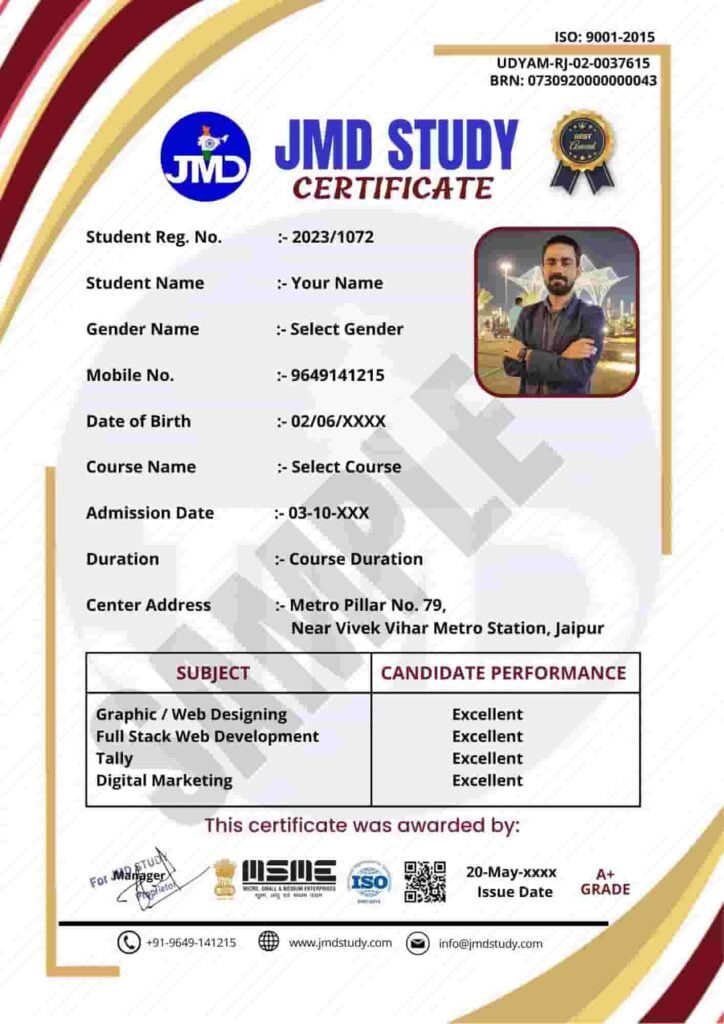
Certification
Online / Offline
Hindi / English
Who can Learn?
Entrepreneur
Gain expertise in operating your business online. Take your business to another level by reaching a large audience. Get your revenue increase by marketing on internet.
Working Professionals
Gain high career growth with advanced Software Training skills. Furnish your qualification with an edge over others. Work as a part-time freelancer & make money online.
Job Seekers
Learn first, which others will learn later. Great chance to get a great job as India is emerging with Digital Media. Give companies extra reasons to hire you.
Homemaker
Work as per the time convenience. Learn Software Training in a very short span of time and start your own online business through digital mediums.
Batches Options We Have
We Have Four Options For You to Join Us.
Regular Batches
If you're a student and can come on regular basis then you can enroll for a regular batch for any Course which is from Monday to Friday, Five days a week.
Alternate Batches
If you think that you need time for practice at home then you can enroll for an alternate any Course batch in which you need to come only 3 Days a week.
Weekend Batches
If you're a business owner or professional having time only on Saturdays and Sundays then weekends any batches suit you best. Enroll for weekends batches.
Sunday Batches
In case of a busy schedule, we also have a Sunday any Course batch system. However, you need to discuss the timings with our counselors.
What We Offer
Curriculum
Designed by Experts. Most Advanced Course Contents, Videos & Assignments.
Application Based Learning
Theory · Hands-on Training · Case Studies · Live Projects
Mentor Connect
Get exclusive one on one Instructor Guidance.
Industry-specific Projects
Choose projects from Banking, Retail, Healthcare, Entertainment & Ecommerce.
Student Support Team
Help beyond classroom hours — Always buzzing with students interacting each other.
Interview Preparation
Interview Q&A, Mock Exams & Sample Interviews Conducted.
Hear It From Our Students



What Our Students Say on Google
Rahul Sharma
"JMD Study ne meri career ki disha badal di. Digital Marketing course bahut practical tha aur teachers ne har topic clearly samjhaya. Placement bhi mili!"
📅 Google Review · 2 months ago
Priya Meena
"Web Development course ka experience amazing rha. Trainers industry experts hain aur live projects se bahut kuch sikhne ko mila. Highly recommended!"
📅 Google Review · 3 months ago
Akash Jain
"Python aur Data Science course ke liye best institute in Jaipur. Doubt sessions bahut helpful the. Fees bhi reasonable hai aur quality top-notch!"
📅 Google Review · 1 month ago
Sunita Verma
"Graphic Design course bahut detail mein sikhaya gaya. Sunday batch hone se working professionals ke liye ideal hai. Staff bahut cooperative hai!"
📅 Google Review · 5 months ago
Mohit Choudhary
"Jaipur mein best IT training institute. Course completion ke baad placement assistance mili aur ab main ek IT company mein kaam kar rha hoon. Thank you JMD!"
📅 Google Review · 4 months ago
Neha Gupta
"As a homemaker I was worried about learning coding but JMD Study ke flexible batches aur Hindi medium teaching ne sab aasaan kar diya. Great experience!"
📅 Google Review · 6 months ago
Help & Support
Head Office: Metro Pillar No. 79, Near Gujar Ki Thadi, Jaipur, Rajasthan 9649141215
Alwar Branch: Naya bas ka choraha, Near jyotiba fule circle, Alwar, Rajasthan, 9649966169
Thanagazi Branch: Near Ramlila Maidan, Thanagazi, Alwar, Rajasthan, 6367550581
Jhunjhunu Branch: Chirawa – Mandrella Rd, Dhatarwala, Rajasthan, 9649966193
Pratapgarh Branch: Neemuch Rd, Pratapgarh, Rajasthan, 9649966191
Copyright 2025 by JMD Technologies – Sitemap
Notes (Class 10-12)
- Class 10 Math’s Notes
- Class 10 Chemistry Notes
- Class 10 Physics Notes
- Class 10 Biology Notes
- Aptitude & Reasoning
- Class 10 Geography
- Physics Class 11 Notes
- Class 11 Chemistry Notes
- Maths Notes Class 11
- Zoology Class 11
- Class 11 Botany Notes
- Physics Class 12 notes
- Chemistry Class 12
- Maths Notes Class 12
- Zoology class 12
- Class 12th Botany Notes
Notes (Class 6-9)
- Class-6 Theory & Notes
- Math’s Notes for class 7
- Science Notes for class 7
- Class 8 Math Notes
- Class 8 Chemistry Notes
- Class 8 Physics Notes
- Class 8 Biology Notes
- Class 8 SST Notes
- Class 9 Math’s Notes
- Class 9 Physics Notes
- Class 9 Chemistry Notes
- Class 9 Biology Notes