Chat on WhatsApp CSS Course - JMD Study

CSS Course

Rated 5 out of 5
  • Learn modern HTML5
  • Modern CSS (previous CSS3), including flexbox and CSS Grid for layout
  • How to find and use free design assets such as images, fonts, and icons
  • Practice your skills with 10+ challenges (solutions included)
Training Format
Online Training / Classroom

Upgrade Your Skill In Android
20000+ Professional Trained | 500+ Batches

100% Practical CSS Training in Jaipur With Certification & Placement Assistance

Description

*** The #1 bestselling HTML and CSS course on Udemy! ***

*** Completely re-built from scratch in July 2021 (35+ hours video) ***

“Having gone through other related courses on other platforms, I can say this course is the most practical and readily applicable course on web design and development I have taken.” — Bernie Pacis

Open a new browser tab, type in www.omnifood.dev, and take a look around. I will wait here…

Amazing, right? What if you knew exactly how to design and build a website like that, completely from scratch? How amazing would that be?

Well, I’m here to teach you HTML, CSS, and web design, all by building the stunning website that you just saw, step-by-step.

So, after finishing this course, you will know exactly how to build a beautiful, professional, and ready-to-launch website just like Omnifood, by following a 7-step process. And it will even look great on any computer, tablet, and smartphone.

But what if you want to build a completely different website? Well, no problem! I designed the course curriculum with exactly this goal: to enable you to design and build any website that you can think of, not just copy the course project.

So, in order to become a confident and independent developer, capable of building your own websites in the future, you will learn:

  • The fundamentals of modern and semantic HTML, CSS, and building layouts in a small separate project, which will prepare you for the main course project (www.omnifood.dev). This includes modern flexbox and CSS Grid!

  • How to design beautiful websites, by learning a web design framework I created just for this course. It consists of easy-to-use guidelines for design aspects like typography, colors, images, spacing, and more (this is like a small standalone course!).

  • How to use well-established website components and layout patterns in order to come up with professional-looking designs

  • How to make any website work on any mobile device, no matter the design and layout (responsive design)

  • How to use the 7 steps of building a professional website in practice: planning, sketching, designing, building, testing, optimizing, and launching

  • How to find and use free design assets such as images, fonts, and icons

  • Important developer skills such as reading documentation, fixing code errors on your own, and using professional web development tools

Does this sound like fun? Then join me and 200,000+ other developers and start building websites today!

Or are you not sold yet and need to know more? No problem, just keep reading…

[01] Why should you learn HTML and CSS in the first place?

Building websites allows you to do fun and creative work, from anywhere in the world, and it even pays well. Web development is one of the most future-proof and highest-paying industries in the world. And HTML and CSS is the entry point to this world!

But you already know all this, that’s why you want to learn HTML and CSS too. Well, you came to the right place!

This is the best and most complete course for starting your web development journey that you will find on Udemy. It’s an all-in-one package that takes you from knowing nothing about HTML and CSS, to building beautiful websites using tools and technologies that professional web developers use every single day.

[02] Why is this course so unique and popular?

Reason #1: The course is completely project-based

Simple demos are boring, and therefore you’re gonna learn everything by building actual projects! In the final project (www.omnifood.dev), together we hand-code a beautiful and responsive landing page for a fictional company that I made up just for the course.

Reason #2: You will not just learn how to code

Coding is great, but it’s not everything! That’s why we will go through the entire 7-step process of building and launching our website project.

So the huge Omnifood project will teach you real-world skills to build real-world HTML and CSS websites: how to plan projects and page layouts, how to implement designs using HTML and CSS techniques, how to write clean and organized code, how to optimize websites for good speed performance, and many more.

On top of that, this course has a huge focus on beautiful design. In fact, this is the only course on the market that focuses on both coding and designing, together.

Reason #3: I’m the right teacher for you

With the right guidance and a well-structured curriculum, building websites can be quite easy and fun to learn. With a bunch of random tutorials and YouTube videos? Not so much. And that’s where I come in.

My name is Jonas, I’m an experienced web developer and designer, and one of Udemy’s top instructors. I have been teaching this bestselling course since 2015 to over 200,000 developers, always listening to feedback and understanding exactly how students actually learn.

Using that feedback, I recently rebuilt this course from scratch and designed the ideal course curriculum for every type of student. It’s a unique blend of projects, deep explanations, theory lectures, and challenges. I’m sure you’re gonna love it!

[03] Why is this course so long?

Reason #1: I take time to explain every single concept that I teach, so that you actually learn, and not just copy code from the screen (this is a course, not a tutorial)

Reason #2: I go into topics that other HTML and CSS courses shy away from: professional web design, component and layout patterns, some CSS theory, website planning in theory and practice, and developer skills. I believe you need all of this to be successful!

Reason #3: There is a lot of repetition, so that you actually assimilate and practice what you learn. Practice is the single most important ingredient to learning, and therefore I provide plenty of opportunities for you to sharpen your skills

[04] Here is what’s also included in the package:

  • Up-to-date HD-quality videos, that are easy to search and reference (great for Udemy Business students)

  • Professional English captions (not the auto-generated ones)

  • Downloadable design assets + starter code and final code for each section

  • Downloadable slides for 20+ theory videos (not boring, I promise!)

  • Access to countless free design and development resources that I curated over many years

  • Free support in the course Q&A

  • 10+ coding challenges to practice your new skills (solutions included)

[05] This course is for you if…

  • … you are a complete beginner with no idea of how to build a website.

  • … you already know a bit of HTML and CSS from some tutorials or videos, but struggle to put together a good-looking, complete website.

  • … you are a designer and want to expand your skills into HTML and CSS, because all your designer friends are learning how to code (they are smart!).

Basically, if you are an HTML and CSS master, and build the most beautiful websites in the world, then DON’T take the course. Everyone else: you should take the course, today.

So, does all of this sound great? Then join me and 200,000+ other developers and start your web development journey today!

Who this course is for:

  • Complete beginners who want to learn how to build a professional, beautiful and responsive website
  • Students with some knowledge about HTML and CSS, but who struggle to put together a great website
  • Designers who want to expand their skill set into HTML5 and CSS3
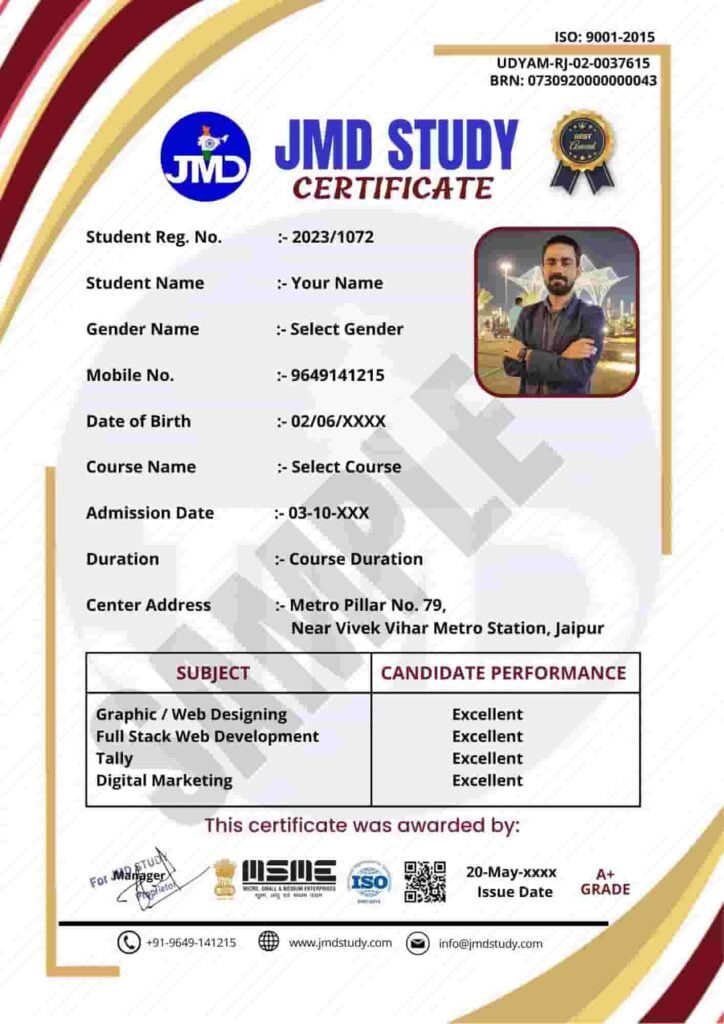
JMD Certificate
  • Section Intro
  • Introduction to HTML
  • HTML Document Structure
  • Text Elements
  • More Text Elements: Lists
  • Images and Attributes
  • Hyperlinks
  • Structuring our Page
  • A Note on Semantic HTML
  • Installing Additional VS Code Extensions
  • CHALLENGE #1
  • CHALLENGE #2
  • Section Intro
  • Introduction to CSS
  • Inline, Internal and External CSS
  • Styling Text
  • Combining Selectors
  • Class and ID Selectors
  • Working With Colors
  • Pseudo-classes
  • Styling Hyperlinks
  • Using Chrome DevTools
  • CSS Theory #1: Conflicts Between Selectors
  • CSS Theory #2: Inheritance and the Universal Selector
  • CHALLENGE #1
  • CSS Theory #3: The CSS Box Model
  • Using Margins and Paddings
  • Adding Dimensions
  • Centering our Page
  • CHALLENGE #2
  • CSS Theory #4: Types of Boxes
  • CSS Theory #5: Absolute Positioning
  • Pseudo-elements
  • Developer Skill #1: Googling and Reading Documentation
  • Developer Skill #2: Debugging and Asking Questions
  • CHALLENGE #3
  • Section Intro
  • The 3 Ways of Building Layouts
  • Using Floats
  • Clearing Floats
  • Building a Simple Float Layout
  • box-sizing: border-box
  • CHALLENGE #1
  • Introduction to Flexbox
  • A Flexbox Overview
  • Spacing and Aligning Flex Items
  • The flex Property
  • Adding Flexbox to Our Project
  • Building a Simple Flexbox Layout
  • CHALLENGE #2
  • Introduction to CSS Grid
  • A CSS Grid Overview
  • Sizing Grid Columns and Rows
  • Placing and Spanning Grid Items
  • Aligning Grid Items and Tracks
  • Building a Simple CSS Grid Layout
  • CHALLENGE #3
  • Section Intro
  • Project Overview
  • Overview of Web Design and Website Personalities
  • Web Design Rules #1: Typography
  • Implementing Typography
  • Web Design Rules #2: Colors
  • Implementing Colors
  • Web Design Rules #3: Images and Illustrations
  • Web Design Rules #4: Icons
  • Implementing Icons
  • Web Design Rules #5: Shadows
  • Implementing Shadows
  • Web Design Rules #6: Border-radius
  • Implementing Border-radius
  • Web Design Rules #7: Whitespace
  • Web Design Rules #8: Visual Hierarchy
  • Implementing Whitespace and Visual Hierarchy
  • Web Design Rules #9: User Experience (UX)
  • The Website-Personalities-Framework
  • The Missing Piece: Steal Like An Artist!
  • Section Intro
  • Web Design Rules #10 – Part 1: Elements and Components
  • Building an Accordion Component – Part 1
  • Building an Accordion Component – Part 2
  • Building a Carousel Component – Part 1
  • Building a Carousel Component – Part 2
  • Building a Table Component – Part 1
  • Building a Table Component – Part 2
  • CHALLENGE #1: Building a Pagination Component
  • Web Design Rules #10 – Part 2: Layout Patterns
  • Building a Hero Section – Part 1
  • Building a Hero Section – Part 2
  • Building a Web Application Layout – Part 1
  • Building a Web Application Layout – Part 2
  • Section Intro
  • The 7 Steps to a Great Website
  • Defining and Planning the Project (Steps 1 and 2)
  • Sketching Initial Layout Ideas (Step 3)
  • First Design and Development Steps (Step 4)
  • Responsive Design Principles
  • How rem and max-width Work
  • Building the Hero – Part 1
  • Building the Hero – Part 2
  • Building the Hero – Part 3
  • Building the Header
  • Building the Navigation
  • Setting Up a Reusable Grid
  • Building the How-It-Works Section – Part 1
  • Building the How-It-Works Section – Part 2
  • Building the Featured-In Section
  • Building the Meals Section – Part 1
  • Building the Meals Section – Part 2
  • Building the Meals Section – Part 3
  • Building the Testimonials Section – Part 1
  • Building the Testimonials Section – Part 2
  • Building the Pricing Section – Part 1
  • Building the Pricing Section – Part 2
  • Building the Features Part
  • Building the Call-To-Action Section – Part 1
  • Building the Call-To-Action Section – Part 2
  • Building the Call-To-Action Section – Part 3
  • Building the Footer – Part 1
  • Building the Footer – Part 2
  • Section Intro
  • How Media Queries Work
  • How to Select Breakpoints
  • Responding to Small Laptops
  • Responding to Landscape Tablets
  • Responding to Tablets
  • Building the Mobile Navigation
  • Responding to Smaller Tablets
  • Responding to Phones
  • Section Intro
  • A Short Introduction to JavaScript
  • Making the Mobile Navigation Work
  • Implementing Smooth Scrolling
  • Implementing a Sticky Navigation Bar
  • Browser Support and Fixing Flexbox Gap in Safari
  • Testing Performance With Lighthouse
  • Adding Favicon and Meta Description
  • Image Optimizations
  • Deployment to Netlify
  • Making the Form Work With Netlify Forms

Download Brochure

Fill in the details, Get the Brochure and Explor


    Application Form


    Prospectus | Eligibility | Fees

    Program Features

    Duration: 30 Days

    Effort: 40 Hours of Learning
    Subject: CSS
    Level: Professional
    Language: English, Hindi

    10% Discount After One-Time Payment

    Course Fees

    Exciting Offer till 15 Dec 2025
    No Cost EMI options available

    Get Trained with a Nominal Registration Fees!

    Why Choose JMD Study as your Training Institute?

    With the best infrastructure and high-tech technology, the project based training allows students and working professionals to gain hands-on experience to Learn Coding Languages.

    • We have 7+ years of experience in Programming language Training.
    • Our Industry expert Teachers are passionate to teach.
    • You’ll be more confident every single day than the day before while learning coding with JMD Study.
    • The Latest Curriculum, from Industry Experts.
    • High Engagement, Outcome-Centric Learning.
    • Placement Assistance for everyone.
    • Life time support for queries & placement.

    Program Features

    35+ Hours for Learning

    50+ Assignment

    10+ Projects

    Certification

    Online / Offline

    Hindi / English

    Who can Learn?

    Entrepreneur

    Gain expertise in operating your business online. Take your business to another level by reaching a large audience. Get your revenue increase by marketing on internet.

    Working Professionals

    Gain high career growth with advanced Software Training skills. Furnish your qualification with an edge over others. Work as a part-time freelancer & make money online.

    Job Seekers

    Learn first, which others will learn later. Great chance to get a great job as India is emerging with Digital Media. Give companies extra reasons to hire you.

    Homemaker

    Work as per the time convenience. Learn Software Training in a very short span of time and start your own online business through digital mediums.

    Batches Options We Have

    We Have Four Options For You to Join Us.

    Regular Batches

    If you're a student and can come on regular basis than you can enroll for a regular batch for any Course which is from Monday to Friday, Five days a week.

    Alternate Batches

    If you think that you need time for practice at home than you can enroll for an alternate any Course batch in which you need to come only 3 Days a week.

    Weekend Batches

    If you're a business owner or professional having time only on Saturdays and Sundays than weekends any batches suit you best. Enroll for weekends batches.

    Sunday Batches

    In case of a busy schedule, we also have a Sunday any Course batch system. However, you need to discuss the timings with our counselors.

    Curriculum

    Designed by Experts Most Advanced Course Contents, Videos & Assignments

    Application Based Learning

    Theory - Hands-on Training - Case Studies - Live Projects

    Mentor Connect

    Get exclusive one on one Instructor Guidance

    Industry-specific projects

    Choose group project from Bankings, Retail, Healthcare, Entertainment, Ecommerce, & Sports

    Student Support Team

    Help beyond the classroom hours - Always buzzing with students interacting with each other

    Interview preparation

    Interview Question and Answers, Mock Exams & Sample Interviews Conducted.

    Hear It From Our Students


      Application Form


      Prospectus | Eligibility | Fees

      Help & Support

      Head Office: Metro Pillar No. 79, Near Gujar Ki Thadi, Jaipur, Rajasthan 9649141215

      Alwar Branch: Naya bas ka choraha, Near jyotiba fule circle, Alwar, Rajasthan, 9649966169

      Thanagazi Branch: Near Ramlila Maidan, Thanagazi, Alwar, Rajasthan, 6367550581

      Jhunjhunu Branch: Chirawa – Mandrella Rd, Dhatarwala, Rajasthan, 9649966193

      Pratapgarh Branch: Neemuch Rd, Pratapgarh, Rajasthan, 9649966191