
Chat on WhatsApp Content Writing Course - JMD Study

Android App Development Course

Rated 5 out of 5
  • Upgrade Your Skills For a High Paying Corporate Job
  • Learn From Industry Leaders
  • Develop Real World Projects
  • Work on Multiple Case Studies
Training Format
Online Training / Classroom

Upgrade Your Skill In Android
20000+ Professional Trained | 500+ Batches

100% Practical Android Training in Jaipur With Certification & Placement Assistance

  • Hands-On Training: Expect a curriculum that focuses on practical application rather than just theory. You’ll likely work on real-world projects, creating Android apps from scratch, which helps in better understanding concepts.
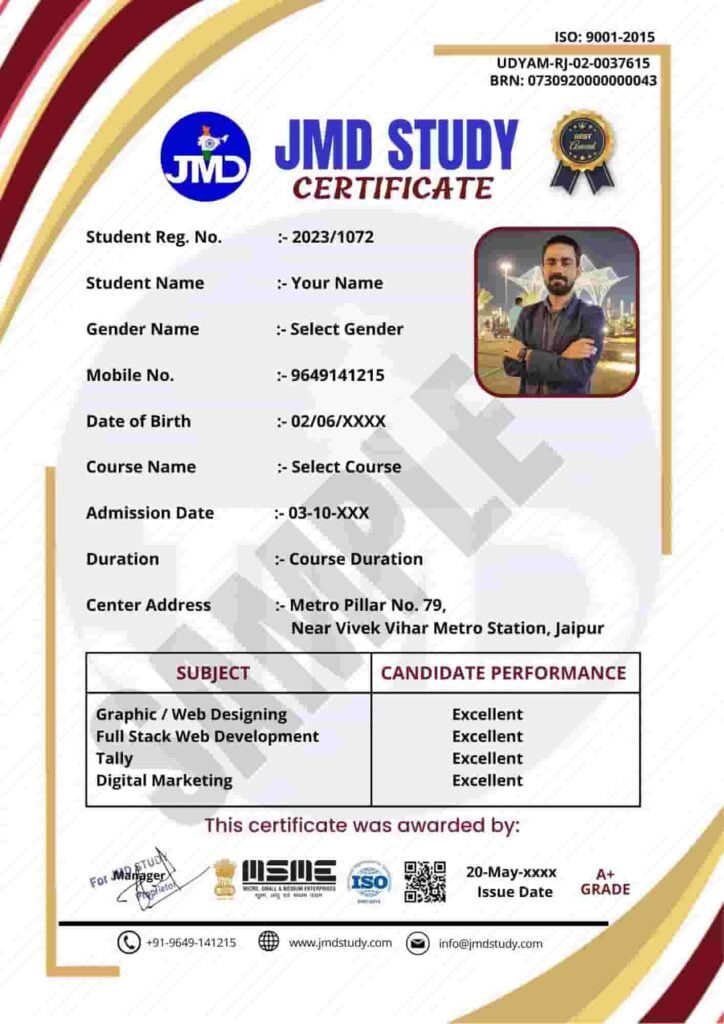
  • Certification: Successful completion of the course should earn you a certification. This certificate can add value to your resume and showcase your proficiency in Android development.
  • Experienced Trainers: Look for courses conducted by instructors with industry experience. Seasoned professionals can provide insights into practical scenarios and industry best practices.
  • Placement Assistance: Many institutes offer placement support. This might include resume building, interview preparation, and connections with companies looking for Android developers. Some may even guarantee interviews or internships.
  • Collaborative Learning: Courses often encourage collaboration among students. Working in teams on projects can simulate real work environments and improve your teamwork and communication skills.
  • Job-Relevant Skills: The training should cover essential skills like Java/Kotlin programming, Android Studio, UI/UX design principles, working with APIs, debugging, and publishing apps on the Google Play Store.
  • Duration and Flexibility: Courses might vary in duration and flexibility. Some are intensive, full-time programs, while others may offer part-time options to suit different schedules.
  • Networking Opportunities: Being part of a training program might offer networking opportunities with professionals in the field, fellow students, or even industry events organized by the institute.

When considering such a course, ensure it aligns with your goals and provides the practical knowledge and skills needed to kickstart your career as an Android developer. Always research the institute, course reviews, alumni feedback, and placement statistics to make an informed decision.

JMD Certificate
  • What is Android?
  • History of Android
  • Versions/Flavors of Android
  • What is IDE?
  • Setting Up Android Studio on System (Windows)
  • Setting Up Android Studio on System (Mac OS)
  • Setting Up Android Studio on System (Linux)
  • Front-End and Back-End Languages (Java/Kotlin, XML)
  • Running App Process (ADB & AVD)
  • The Extension .apk
  • Creating First Android Studio Project
  • Knowing the Android Studio
  • Creating Android Virtual Device
  • Executing Project on Android Screen (AVD)
  • Executing Project on Android Screen (ADB)
  • Debugging Android Apps (Logcat, Toast, Breakpoints, Error Resolving)
  • Introduction to XML
  • How to design layouts in Android apps by writing XML code?
  • How to design Views in Android apps?
  • How to design in Android apps using Drag and Drop?
  • Constraint Layout
  • Introduction to JAVA for Android
  • Why JAVA is more Preferred for Android
  • JAVA OOPS Concepts – Encapsulation,Abstraction
  • JAVA OOPS Concepts – Inheritance, Polymorphism
  • JAVA Constructor
  • JAVA Classes
  • JAVA Object
  • JAVA Classes and Objects Demo
  • Application
    Assignment : JAVA Programming Basics
  • Android Architecture
  • Android Components
  • Activity Lifecycle
  • Stages of the activity lifecycle
  • Creating First Android App (BMI)
  • Intent Passing
  • Bundle Passing
  • Making a Splash Screen
  • Making Calls, Dailing, Sending Mails & Sharing App Installation Link
  • Animations in Android
  • Custom Animations (Lottie) with Third-Party Library Inclusion
  • Toast
  • ListView, Spinner & AutoCompleteTextView
  • Styles and Themes
  • Making App Universal (Screen Compatible)
  • Material UI (Card View)
  • Recycler View
  • Alert Dialogs
  • Adding/Deleting and Updating Items in Recycler View
  • Animating the items of Recycler View
  • Creating your own toolbar (Custom Toolbar)
  • Creating your own Drawable (Custom Drawable)
  • Introducing Fragments and FrameLayout
  • Jetpack Navigation Component
  • Using the Navigation Graph
  • Tab Layout
  • Bottom Navigation View
  • Navigation Drawer
  • Data Passing in Fragment
  • Managing Fragment backstack
  • Introduction to MVVM
  • Add a ViewModel
  • Move data to the ViewModel
  • The lifecycle of a ViewModel
  • MVVM Architecture – Quiz
  • What is Livedata?
  • Attach observer to the LiveData object
  • Data Binding
  • Use LiveData with data binding
  • Custom Toast
  • Logcat
  • Customizing Dialog
  • Status Bar Notifications
  • Customizing Notifications
  • Introduction to Coroutines
  • Coroutines in Kotlin
  • Introduction to Dynamic Apps
  • Receiving HTTP Response (JSON)
  • What is JSON Response
  • Parsing Response
  • Introduction to Dynamic Apps – Quiz
  • Parsing Response (POST API)
  • Parse the JSON response with Moshi
  • WebView
  • Bundle Passing
  • Shared Preferences
  • Database
  • Introducing SQLite
  • SQLiteOpenHelper and creating a database
  • Opening and closing a database
  • Inserting Data in the database (Insert)
  • Fetching Data from a database (Select)
  • Working with cursors updates, and deletes
  • Database Room Library (Daily Expense App)
  • Implementing Google Maps
  • Map Overlays
  • Geocoder
  • Using Runtime Permission DialogBox for Risky Permission
  • Using GPS to get the current location
  • Integrating GPS with Map
  • Taking pictures
  • Getting Pictures from Camera to App
  • Getting Pictures from Gallery to App
  • Media Player (Audio)
  • Video View
  • How do Sensors work?
  • Accelerometer Sensor and its Applications
  • Proximity Sensor and its Applications
  • Ambient Light Sensor and its Applications
  • Overview of services and their Lifecycle in Android
  • Implementing a Service
  • Alarm Manager
  • Download Manager
  • Work Manager
  • Manager in Android – Quiz
  • Sending & Receiving messages
  • Introduction
  • Creating a Firebase Project on Console
  • Cloud Messaging (Push Notifications)
  • Firestore (Realtime Database)
  • What are Ads?
  • Implementing Banner Ads
  • Implementing Interstitial Ads
  • What is Playstore?
  • Creating Signed .apk
  • Going live on Playstore
  • Building a Calculator App
  • Tip Calculator
  • Words App
  • Guess the Word
  • Dice Roller
  • Building a Notes App (using Room Library)
  • Music Player

Download Brochure

Fill in the details, Get the Brochure and Explor


    Application Form


    Prospectus | Eligibility | Fees

    Program Features

    Duration: 75 Days

    Effort: 80 Hours of Learning
    Subject: Andriod
    Level: Professional
    Language: English, Hindi
    JMD Study - Programming Language Training Institute

    10% Discount After One-Time Payment

    Course Fees

    🎉 Exciting Offer till 15 March 2026

    Find Course Fees

    📳 No Cost EMI options available

    🏫 Our 5 Branches
    JMD
    HEAD OFFICE
    JAIPUR
    ALWAR
    JHUNJHUNU
    THANAGAZI
    PRATAPGARH
    5 Cities · 1 Mission: Quality Education

    Why Choose JMD Study as your Training Institute?

    With the best infrastructure and high-tech technology, the project based training allows students and working professionals to gain hands-on experience to Learn Coding Languages.

    • We have 7+ years of experience in Programming language Training.
    • Our Industry expert Teachers are passionate to teach.
    • You'll be more confident every single day while learning coding with JMD Study.
    • The Latest Curriculum, from Industry Experts.
    • High Engagement, Outcome-Centric Learning.
    • Placement Assistance for everyone.
    • Dedicated support for queries & placement.

    Program Features

    ⏱️
    35+

    Hours for Learning

    📝
    50+

    Assignments

    💼
    10+

    Projects

    🎓

    Certification

    💻

    Online / Offline

    🗣️

    Hindi / English

    Who can Learn?

    💎

    Entrepreneur

    Gain expertise in operating your business online. Take your business to another level by reaching a large audience. Get your revenue increase by marketing on internet.

    🧳

    Working Professionals

    Gain high career growth with advanced Software Training skills. Furnish your qualification with an edge over others. Work as a part-time freelancer & make money online.

    Job Seekers

    Learn first, which others will learn later. Great chance to get a great job as India is emerging with Digital Media. Give companies extra reasons to hire you.

    🏠

    Homemaker

    Work as per the time convenience. Learn Software Training in a very short span of time and start your own online business through digital mediums.

    Batches Options We Have

    We Have Four Options For You to Join Us.

    📅

    Regular Batches

    If you're a student and can come on regular basis then you can enroll for a regular batch for any Course which is from Monday to Friday, Five days a week.

    🔄

    Alternate Batches

    If you think that you need time for practice at home then you can enroll for an alternate any Course batch in which you need to come only 3 Days a week.

    📆

    Weekend Batches

    If you're a business owner or professional having time only on Saturdays and Sundays then weekends any batches suit you best. Enroll for weekends batches.

    ☀️

    Sunday Batches

    In case of a busy schedule, we also have a Sunday any Course batch system. However, you need to discuss the timings with our counselors.

    What We Offer

    Curriculum

    Designed by Experts. Most Advanced Course Contents, Videos & Assignments.

    Application Based Learning

    Theory · Hands-on Training · Case Studies · Live Projects

    Mentor Connect

    Get exclusive one on one Instructor Guidance.

    Industry-specific Projects

    Choose projects from Banking, Retail, Healthcare, Entertainment & Ecommerce.

    Student Support Team

    Help beyond classroom hours — Always buzzing with students interacting each other.

    Interview Preparation

    Interview Q&A, Mock Exams & Sample Interviews Conducted.

    Hear It From Our Students

    More Video Feedback →

    What Our Students Say on Google

    4.8 ★★★★★ 200+ Google Reviews
    R

    Rahul Sharma

    ★★★★★

    "JMD Study ne meri career ki disha badal di. Digital Marketing course bahut practical tha aur teachers ne har topic clearly samjhaya. Placement bhi mili!"

    📅 Google Review · 2 months ago

    P

    Priya Meena

    ★★★★★

    "Web Development course ka experience amazing rha. Trainers industry experts hain aur live projects se bahut kuch sikhne ko mila. Highly recommended!"

    📅 Google Review · 3 months ago

    A

    Akash Jain

    ★★★★★

    "Python aur Data Science course ke liye best institute in Jaipur. Doubt sessions bahut helpful the. Fees bhi reasonable hai aur quality top-notch!"

    📅 Google Review · 1 month ago

    S

    Sunita Verma

    ★★★★★

    "Graphic Design course bahut detail mein sikhaya gaya. Sunday batch hone se working professionals ke liye ideal hai. Staff bahut cooperative hai!"

    📅 Google Review · 5 months ago

    M

    Mohit Choudhary

    ★★★★★

    "Jaipur mein best IT training institute. Course completion ke baad placement assistance mili aur ab main ek IT company mein kaam kar rha hoon. Thank you JMD!"

    📅 Google Review · 4 months ago

    N

    Neha Gupta

    ★★★★★

    "As a homemaker I was worried about learning coding but JMD Study ke flexible batches aur Hindi medium teaching ne sab aasaan kar diya. Great experience!"

    📅 Google Review · 6 months ago


      Application Form


      Prospectus | Eligibility | Fees

      Help & Support

      Head Office: Metro Pillar No. 79, Near Gujar Ki Thadi, Jaipur, Rajasthan 9649141215

      Alwar Branch: Naya bas ka choraha, Near jyotiba fule circle, Alwar, Rajasthan, 9649966169

      Thanagazi Branch: Near Ramlila Maidan, Thanagazi, Alwar, Rajasthan, 6367550581

      Jhunjhunu Branch: Chirawa – Mandrella Rd, Dhatarwala, Rajasthan, 9649966193

      Pratapgarh Branch: Neemuch Rd, Pratapgarh, Rajasthan, 9649966191