
Chat on WhatsApp Best Institute for Full Stack MERN Development Course - JMD Study

MERN Stack Developer Courses

(6-Months Training)

Rated 5 out of 5

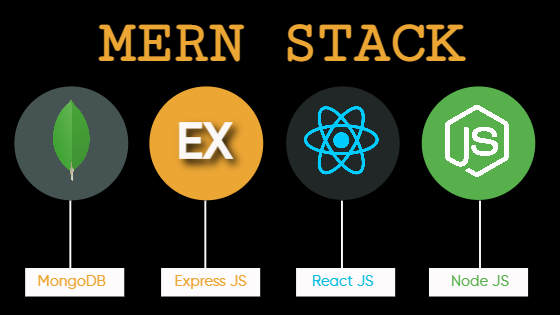
MERN is one of several variations of the MEAN stack (MongoDB Express Angular Node), where the traditional Angular.js front-end framework is replaced with React.js. Other variants include MEVN (MongoDB, Express, Vue, Node), and really any front-end JavaScript framework can work.

Ready to take the next step? Set up your free Atlas account by clicking below and try our MERN Stack Tutorial to create a full-stack MERN application in no time.

Best Institute for Full Stack MERN Development Course in Jaipur

JMD Study Presents MERN Stack Course in Jaipur

You’ll learn the latest website coding skills from real-world programmers. Whether you’re beginner or advanced, JMD Study range of full stack developer courses will help you develop and improve your skills. Our courses are frequently updated with the latest information so you can always stay at the top of your game.

Part- I: HTML, CSS, JavaScript, jQuery, Tailwind CSS

  • HTML Editors
  • HTML Basics
  • HTML Elements
  • HTML Images
  • HTML Links
  • HTML Lists
  • HTML Attributes
  • HTML Headings
  • HTML Paragraphs
  • HTML Styles
  • HTML Formatting
  • HTML Comments
  • HTML Blocks
  • HTML Classes
  • Introduction to Cascading Style Sheet (CSS)
  • CSS Syntax and Selectors
  • CSS Colors
  • CSS Backgrounds
  • CSS Borders
  • Setting height and width
  • Background Color
  • Background Image
  • Background Repeat
  • Border
  • Types of Border in CSS
  • Border Style
  • Border Radius
  • Text Indentation
  • Text Transformation
  • Letter Spacing
  • Line Height
  • Font Families
  • Font Color
  • Font Style
  • Font Style
  • Margin And Padding
  • Text Alignment
  • Text Decoration
  • Word Spacing
  • Text Shadow
  • Introduction to CSS3
  • CSS Rounded Corners
  • CSS Border Images
  • CSS Multiple Backgrounds
  • RGBA Colors
  • CSS Gradients
  • CSS Shadow Effects
  • CSS Text Effects
  • CSS 2D Transforms
  • CSS 3D Transforms
  • CSS Transitions
  • CSS Animations
  • CSS Styling Images
  • CSS Buttons
  • CSS Multiple Columns
  • Resize
  • CSS Box Sizing
  • Details Tag
  • Introduction To HTML5
  • !DOCTYPE html
  • Header Tag
  • Footer Tag
  • Article Tag
  • Section Tag
  • Figure Tag
  • Aside Tag
  • Audio Tag
  • Video Tag
  • Details Tag
  • Dialog Tag
  • Main Tag
  • Nav Tag
  • Summary Tag
  • Introduction to JavaScript
  • Basics of JavaScript
  • JS Comment
  • JS Variable
  • JS Global Variable
  • JS Data Types
  • JS Operators
  • JS If Statement
  • JS Switch
  • JS slider
  • JS Loop
  • JavaScript DOM
  • JS Events
  • onclick
  • onmouseover
  • onmouseout
  • onkeydown
  • onload
  • JS validation
  • JS window.print()
  • What is jQuery?
  • Adding jQuery Library to Pages
  • Basic jQuery Examples
  • How to download jQuery?
  • jQuery Syntax
  • The Document Ready Function
  • How to use Custom Scripts?
  • How to use Selectors?
  • CSS Element Selector and ID Selector
  • CSS Element Class Selector and Universal Selector
  • CSS Multiple Elements E, F, G Selector
  • jQuery Callback Functions
  • Get Attribute Value
  • Set Attribute Value
  • How to Apply CSS Properties?
  • Setting Element Width & Height
  • JQuery CSS Methods
  • JQuery Online Effects
  • Slider
  • Lightbox
  • What is Bootstrap?
  • How to Install Bootstrap and jQuery?
  • Media Query
  • Bootstrap Grid System
  • Containers
  • Rows
  • Columns
  • Multiple columns
  • Resetting columns
  • Offsetting columns
  • Nesting columns
  • Push & Pull
  • Bootstrap Components
  • Glyphicons
  • Dropdown
  • Video
  • Nav & Navbar
  • Carousel
  • Tabbing
  • What is Media Query?
  • What is Responsive Web Design?
  • What screen resolutions do you use while taking screenshots?
  • Getting Started with Tailwind CSS
  • Core Concepts
  • Customization
  • Base Styles
  • Layout
  • Flexbox & Grid
  • Spacing
  • Sizing
  • Typography
  • Backgrounds
  • Borders
  • Effects
  • Filters
  • Transitions & Animation
  • Transforms
  • Two projects using Tailwind CSS

Part-II: ReactJS

  • What is ReactJS?
  • Key Features
  • Benefits of using ReactJS
  • How to use exercise files?
  • Tools that we need
  • Finishing the hello world task
  • Delete and recreate everything
  • Adding CSS to Hello World
  • Reusable components
  • Understand the existing template
  • Convert the HTML template into React App
  • Reusable Card and Assignment
  • What are props and states?
  • Preparing the state-based applications
  • Complete counter application
  • Assignment for Counter app
  • Learning basics first
  • Preparing the Tic Tac Toe
  • Sending icons from components
  • Setup layout for Tic Tac Toe
  • Finishing Tic Tac Toe and assignment
  • The problem that contextAPI solves
  • Detail on Context and Provider
  • Detail on Consumer in contextAPI
  • Understand the working of dark and light mode
  • Creating a theme Toggler with Context API
  • Finishing the theme switcher app
  • What are we building here?
  • Create brain of the application
  • Use Reducer for our app
  • Add an input form
  • Sending a dispatch
  • Display the context data and dispatch
  • Introducing the Effect hook
  • A form to submit the data
  • Looping through all the values
  • Hooks and local storage in action
  • Learn to read docs for API
  • Let’s read Axios docs
  • Drill down the API
  • Extracting information from API
  • A walk of Pexels and JSON
  • Add item to the cart
  • Buy the item and remove the item
  • Fetching photos from API
  • Store everything is state
  • Card for every product
  • Create cart section
  • Bring the shop together
  • Removing the duplicate
  • What are we about to build?
  • React Router crash course
  • Your tour to configure firebase
  • Read firebase docs with me
  • Creating components for the firebase app
  • Bring in the react-router
  • Headers and Footers
  • Conditional rendering in Navbar
  • Adding firebase configuration
  • User Signup in firebase
  • Logout and sign-in user
  • User card component
  • Repo component
  • Home page and finish the app
  • A challenge application
  • Firebase real-time database
  • Setting context and actions
  • Creating reducers for contact
  • Header and Footer tasks
  • How to upload an image in firebase storage?
  • Add and update a contact in firebase
  • Add or update the finder
  • Update star and delete contact
  • Use dispatch and FIXME
  • Get all data from firebase
  • Loop through firebase object
  • Firebase finale and assignment
  • 3 Principles of redux
  • Bring in the central state
  • Actions make redux simpler
  • Reducer- brain part of the app
  • Component dispatching the info
  • Two most important methods for Redux
  • Provider to give access to store
  • Finally, creating that store

Part-III: MongoDB

  • What is MongoDB?
  • How does MongoDB work?
  • How to install MongoDB on MAC?
  • How to install MongoDB on Windows?
  • Create and Read operations in MongoDB
  • ObjectID and BSON in MongoDB
  • Triple-A and CRUD operations in MongoDB
  • UpdateOne and DeleteOne
  • UpdateMany and deleteMany
  • Database issues with Update
  • Getting more data
  • Save bandwidth while querying in MongoDB
  • Understanding objects structure
  • What is schema in MongoDB?
  • Database modeling MongoDB series
  • Relation in database MongoDB
  • One-to-one relation in mongo database with id
  • One to many relations in the MongoDB database
  • Many to Many relations in MongoDB
  • Creating file structure and installing dependencies
  • Creating our first learner schema
  • Connecting with MongoDB with mongoose
  • A read test in MongoDB
  • A delete test for MongoDB
  • An update test in MongoDB

Part-IV: NodeJS

  • What is Node.js?
  • Features of Node.js
  • Who Uses Node.js?
  • Concepts
  • Where to Use Node.js?
  • Where Not to Use Node.js?
  • Try it Option Online
  • Local Environment Setup
  • Text Editor
  • The Node.js Runtime
  • Download Node.js Archive
  • Installation on UNIX/Linux/Mac OS X and SunOS
  • Installation on Windows
  • Verify Installation: Executing a File

Creating Node.js Application

  • Online REPL Terminal
  • REPL Commands
  • Stopping REPL
  • Installing Modules using NPM
  • Global vs Local Installation
  • Using package.json
  • Attributes of Package.json
  • Uninstalling a Module
  • Updating a Module
  • Search a Module
  • Create a Module
  • What is Callback?
  • Blocking Code Example
  • Non-Blocking Code Example
  • Event-Driven Programming
  • Example
  • How do Node Applications work?
  • Event Emitter Class
  • Methods
  • Class Methods
  • Events
  • Example
  • Creating Buffers
  • Writing to Buffers
  • Reading from Buffers
  • Convert Buffer to JSON
  • Concatenate Buffers
  • Compare Buffers
  • Copy Buffer
  • Slice Buffer
  • Buffer Length
  • Methods Reference
  • Class Methods
  • What are Streams?
  • Reading from a Stream
  • Writing to a Stream
  • Piping the Streams
  • Chaining the Streams
  • Synchronous vs Asynchronous
  • Open a File
  • Get File Information
  • Writing a File
  • Reading a File
  • Closing a File
  • Truncate a File
  • Delete a File
  • Create a Directory
  • Read a Directory
  • Remove a Directory
  • Methods Reference
  • __filename
  • __dirname
  • setTimeout(cb, ms)
  • clearTimeout (t)
  • setInterval(cb, ms)
  • Global Objects
  • Console Object
  • Process Object
  • OS Module
  • Path Module
  • Net Module
  • DNS Module
  • Domain Module
  • What is a Web Server?
  • Web Application Architecture
  • Creating a Web Server using Node
  • Make a request to Node.js server
  • Creating a Web client using Node

Part-V: ExpressJS

  • Express Overview
  • Installing Express
  • Hello World Example
  • Request & Response
  • Request Object
  • Response Object
  • Basic Routing
  • Serving Static Files
  • GET Method
  • POST Method
  • File Upload
  • Cookies Management
  • What is REST Architecture?
  • HTTP methods
  • RESTful Web Services
  • Creating RESTful for a Library
  • List Users
  • Add Users
  • Show Detail
  • Delete a User


    Application Form


    Prospectus | Eligibility | Fees

    Program Features

    Duration: 180 Days

    Effort: 12 Hours / Week
    Subject: Full Stack Web Development
    Level: Professional
    Language: English, Hindi
    JMD Study - Programming Language Training Institute

    10% Discount After One-Time Payment

    Course Fees

    🎉 Exciting Offer till 15 March 2026

    Find Course Fees

    📳 No Cost EMI options available

    🏫 Our 5 Branches
    JMD
    HEAD OFFICE
    JAIPUR
    ALWAR
    JHUNJHUNU
    THANAGAZI
    PRATAPGARH
    5 Cities · 1 Mission: Quality Education

    Why Choose JMD Study as your Training Institute?

    With the best infrastructure and high-tech technology, the project based training allows students and working professionals to gain hands-on experience to Learn Coding Languages.

    • We have 7+ years of experience in Programming language Training.
    • Our Industry expert Teachers are passionate to teach.
    • You'll be more confident every single day while learning coding with JMD Study.
    • The Latest Curriculum, from Industry Experts.
    • High Engagement, Outcome-Centric Learning.
    • Placement Assistance for everyone.
    • Dedicated support for queries & placement.

    Program Features

    ⏱️
    35+

    Hours for Learning

    📝
    50+

    Assignments

    💼
    10+

    Projects

    🎓

    Certification

    💻

    Online / Offline

    🗣️

    Hindi / English

    Who can Learn?

    💎

    Entrepreneur

    Gain expertise in operating your business online. Take your business to another level by reaching a large audience. Get your revenue increase by marketing on internet.

    🧳

    Working Professionals

    Gain high career growth with advanced Software Training skills. Furnish your qualification with an edge over others. Work as a part-time freelancer & make money online.

    Job Seekers

    Learn first, which others will learn later. Great chance to get a great job as India is emerging with Digital Media. Give companies extra reasons to hire you.

    🏠

    Homemaker

    Work as per the time convenience. Learn Software Training in a very short span of time and start your own online business through digital mediums.

    Batches Options We Have

    We Have Four Options For You to Join Us.

    📅

    Regular Batches

    If you're a student and can come on regular basis then you can enroll for a regular batch for any Course which is from Monday to Friday, Five days a week.

    🔄

    Alternate Batches

    If you think that you need time for practice at home then you can enroll for an alternate any Course batch in which you need to come only 3 Days a week.

    📆

    Weekend Batches

    If you're a business owner or professional having time only on Saturdays and Sundays then weekends any batches suit you best. Enroll for weekends batches.

    ☀️

    Sunday Batches

    In case of a busy schedule, we also have a Sunday any Course batch system. However, you need to discuss the timings with our counselors.

    What We Offer

    Curriculum

    Designed by Experts. Most Advanced Course Contents, Videos & Assignments.

    Application Based Learning

    Theory · Hands-on Training · Case Studies · Live Projects

    Mentor Connect

    Get exclusive one on one Instructor Guidance.

    Industry-specific Projects

    Choose projects from Banking, Retail, Healthcare, Entertainment & Ecommerce.

    Student Support Team

    Help beyond classroom hours — Always buzzing with students interacting each other.

    Interview Preparation

    Interview Q&A, Mock Exams & Sample Interviews Conducted.

    Hear It From Our Students

    More Video Feedback →

    What Our Students Say on Google

    4.8 ★★★★★ 200+ Google Reviews
    R

    Rahul Sharma

    ★★★★★

    "JMD Study ne meri career ki disha badal di. Digital Marketing course bahut practical tha aur teachers ne har topic clearly samjhaya. Placement bhi mili!"

    📅 Google Review · 2 months ago

    P

    Priya Meena

    ★★★★★

    "Web Development course ka experience amazing rha. Trainers industry experts hain aur live projects se bahut kuch sikhne ko mila. Highly recommended!"

    📅 Google Review · 3 months ago

    A

    Akash Jain

    ★★★★★

    "Python aur Data Science course ke liye best institute in Jaipur. Doubt sessions bahut helpful the. Fees bhi reasonable hai aur quality top-notch!"

    📅 Google Review · 1 month ago

    S

    Sunita Verma

    ★★★★★

    "Graphic Design course bahut detail mein sikhaya gaya. Sunday batch hone se working professionals ke liye ideal hai. Staff bahut cooperative hai!"

    📅 Google Review · 5 months ago

    M

    Mohit Choudhary

    ★★★★★

    "Jaipur mein best IT training institute. Course completion ke baad placement assistance mili aur ab main ek IT company mein kaam kar rha hoon. Thank you JMD!"

    📅 Google Review · 4 months ago

    N

    Neha Gupta

    ★★★★★

    "As a homemaker I was worried about learning coding but JMD Study ke flexible batches aur Hindi medium teaching ne sab aasaan kar diya. Great experience!"

    📅 Google Review · 6 months ago


      Application Form


      Prospectus | Eligibility | Fees

      Who can Learn MERN Stack Development Training Programs? ​

      Entrepreneur

      Gain expertise in operating your business online. Take your business to another level by reaching a large audience. Get your revenue increase by marketing on internet.

      Working Professionals

      Gain high career growth with Full Stack Web Development . Furnish your qualification with an edge over others. Work as a part-time freelancer & make money online.

      Job Seekers

      Learn first, which others will learn later. Full Stack Web Development Great chance to get a great job as India is emerging with Digital Media. Give companies extra reasons to hire you.

      Homemaker

      Work as per the time convenience. Learn Full Stack Web Development in a very short span of time and start your own online business through digital mediums

      Download Brochure

      Fill in the details, Get the Brochure and Explor


        Application Form


        Prospectus | Eligibility | Fees

        Help & Support

        Head Office: Metro Pillar No. 79, Near Gujar Ki Thadi, Jaipur, Rajasthan 9649141215

        Alwar Branch: Naya bas ka choraha, Near jyotiba fule circle, Alwar, Rajasthan, 9649966169

        Thanagazi Branch: Near Ramlila Maidan, Thanagazi, Alwar, Rajasthan, 6367550581

        Jhunjhunu Branch: Chirawa – Mandrella Rd, Dhatarwala, Rajasthan, 9649966193

        Pratapgarh Branch: Neemuch Rd, Pratapgarh, Rajasthan, 9649966191